
Audit Overview
Your store's untapped revenue potential — and how to unlock it
Why We Created This Audit
We analyzed glasses.com the same way we've audited 350+ e-commerce stores — looking for the specific gaps between your current experience and what top-performing Health & Wellness — Eyewear stores deliver. Every finding in this report is a revenue opportunity backed by industry data and competitive benchmarks.
What We Analyzed
- UX & Conversion Design14 findings
- Technology & App StackPlatform + 12 apps
- Industry BenchmarksHealth & Wellness — Eyewear
Pages Analyzed
- Homepage3 findings
- Collection Pages3 findings
- Product Pages (PDP)5 findings
- Cart & Checkout3 findings
 This audit was prepared by Growisto — a CRO-led Website development team behind 167% conversion growth for Atomberg, 46% CR lift for TyresNmore, and 350+ e-commerce projects.
UX & Conversion Findings
Page-by-page analysis with visual comparisons against top Health & Wellness — Eyewear stores
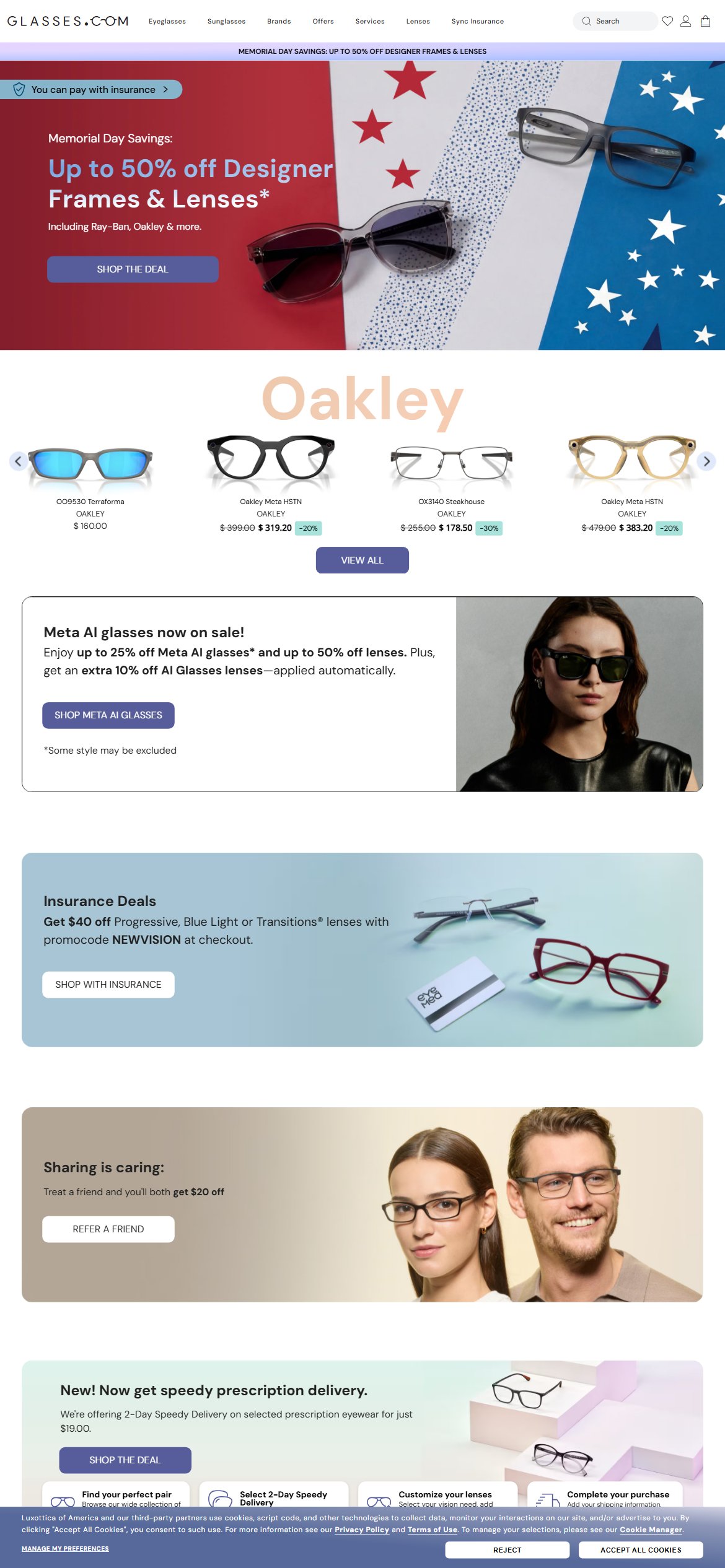
- BounceExchange/Wunderkind fully loaded (assets.bounceexchange.com — site ID 7193, inbox-v2 + onsite-v2 bundles) confirming infrastructure is active
- JavaScript variable newsletterRewardCode='WELCOME20' exists in page source but the associated popup trigger is not firing on mobile
- No overlay, slide-in, or bottom bar email capture element was observed in the DOM during testing — the only email capture is a footer newsletter form outside the visible viewport
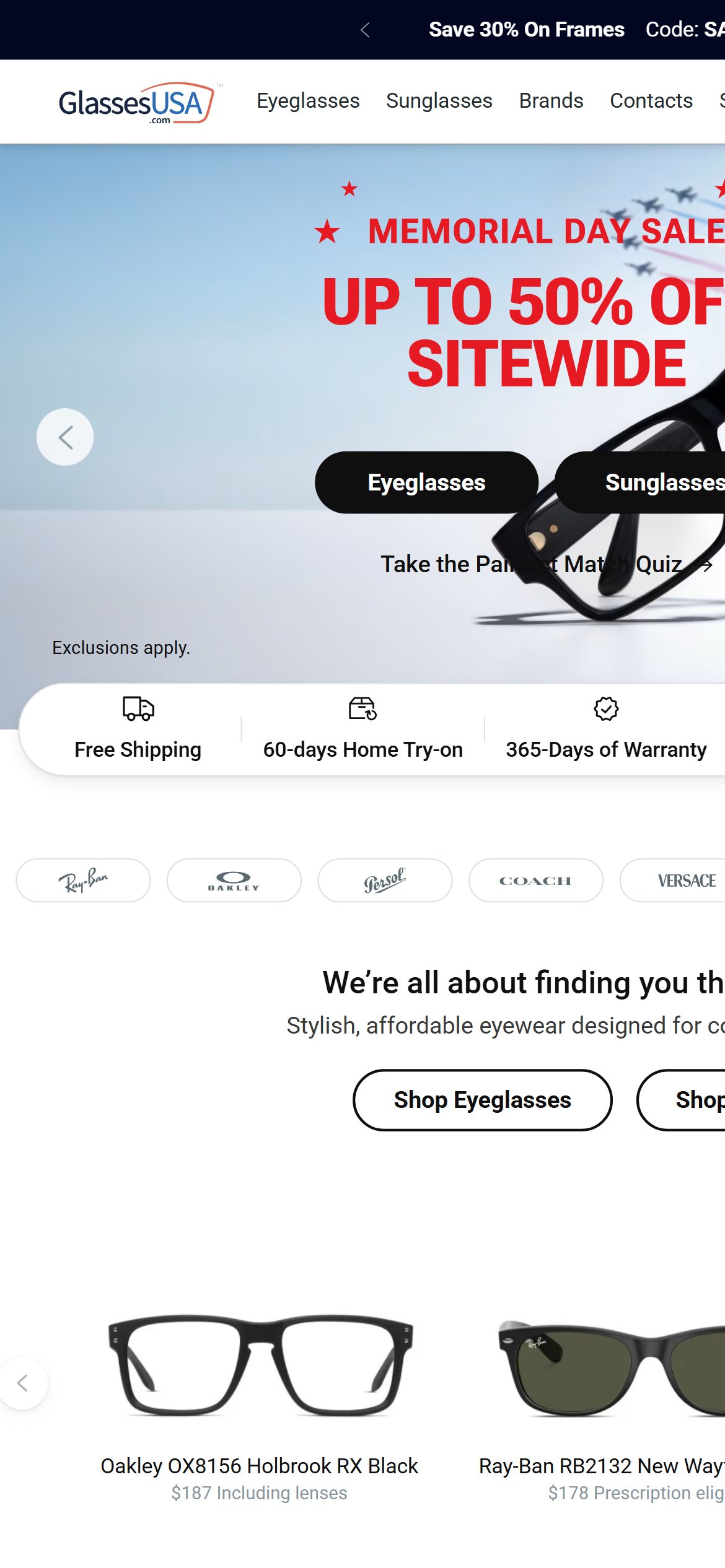
- GlassesUSA fires a 'Save 30% on your first order' popup within 8 seconds — capturing the same visitor Glasses.com loses at zero cost
- Activate the existing BounceExchange campaign for mobile: trigger a timed (10–15s) or scroll-based popup using the WELCOME20 discount already configured in the codebase
- A/B test a two-field mobile popup (email + optional SMS) with the WELCOME20 offer — eyewear welcome popups see 8–12% capture rates given the high-consideration purchase context
- Ensure the popup is suppressed for returning logged-in customers and active cart sessions to avoid annoyance friction
- Virtual Mirror infrastructure (vmmv.luxottica.com/v/5.5.6) is loaded site-wide but no homepage section or CTA promotes the 'Try It On' feature
- The homepage hero focuses entirely on Memorial Day discounts (50% off) — no mention of the virtual try-on capability that differentiates Glasses.com from price-only competitors
- GlassesUSA promotes its 'Pairfect Match Quiz' prominently above the fold — a guided discovery tool that drives engagement and reduces decision paralysis
- First-time visitors to an online eyewear store report 'not knowing how frames will look on my face' as the #1 purchase barrier — Virtual Mirror directly addresses this and is not being used to reduce homepage bounce
- Add a dedicated 'Try Any Frame On Your Face' hero banner or inline section on the homepage with a direct link to the Virtual Mirror experience
- Feature a short looping video or animated GIF demonstrating the Virtual Mirror in use — showing a real person's face with frames changing creates immediate engagement
- Position the Virtual Mirror CTA prominently in the 2nd or 3rd homepage scroll, paired with the value statement 'See how any frame looks on you — no appointment needed'
- No 'As Seen In', 'Featured In', or press logo strip was found anywhere in the homepage DOM
- No customer count ('millions of customers'), aggregate review score, or 'years in business' stat appears on the homepage
- GlassesUSA prominently features '130K reviews', 'Free Shipping', '60-days Home Try-on', and '365-Days of Warranty' as trust signals in the first scroll — directly combating the online purchase anxiety
- Glasses.com's trust advantages (Luxottica brand, 1000+ store network, insurance integration) are not communicated on the homepage at all
- Add a 4-icon trust bar below the hero: 'Free Shipping Always | 60-Day Returns | FSA/HSA Accepted | 1000+ Partner Stores' — these are all real Glasses.com features not being communicated
- Add a press logo strip with 5–7 recognisable media mentions (Vogue, GQ, TechCrunch for AI Glasses) to establish editorial credibility for the premium price point
- Surface a customer review aggregate stat ('Rated 4.7 stars by 50,000+ customers') in the first 2 scrolls — if this data exists in the platform, surface it
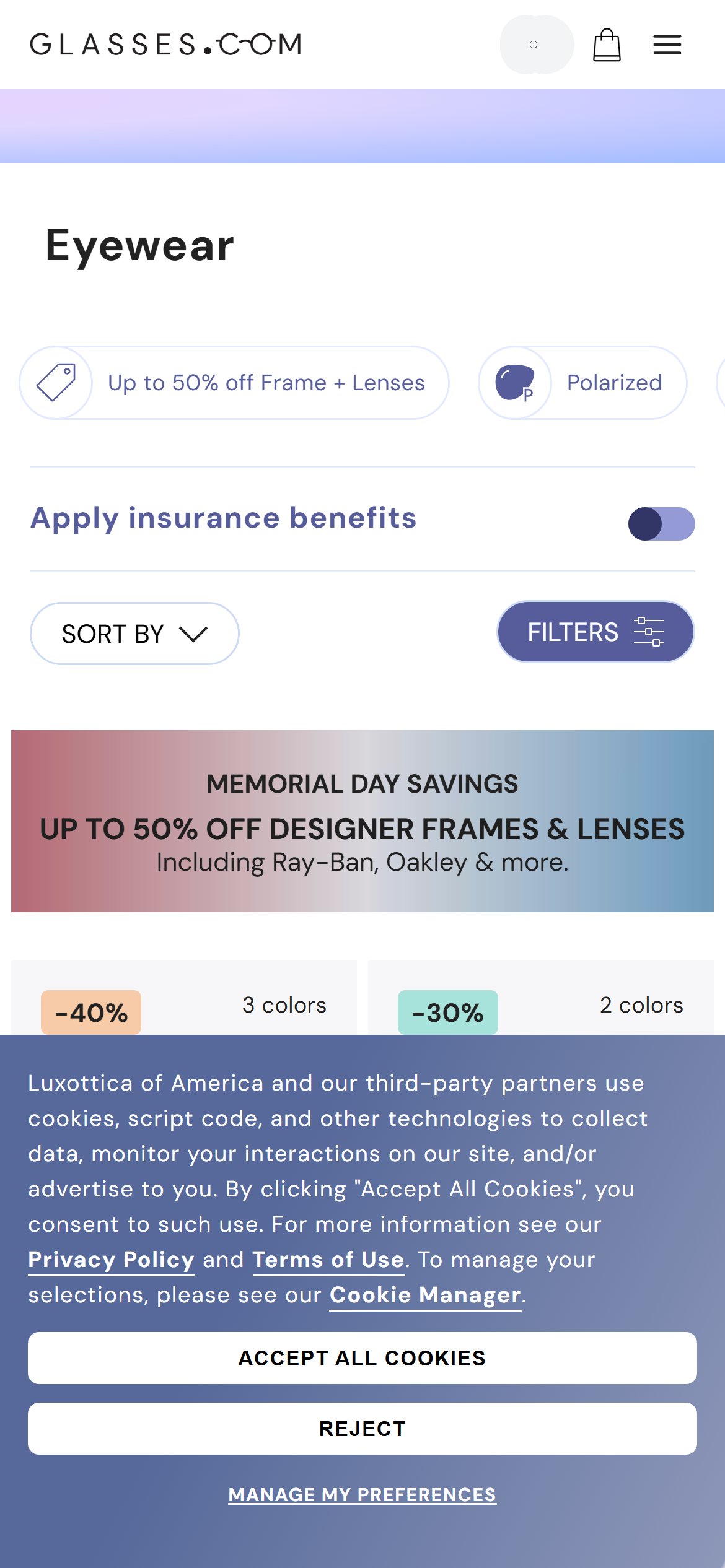
- In the first 26 visible products, at least 4 carry a 'DISCONTINUED' badge (RB0298S Mega Hawkeye, RB8094 Jim Titanium, OX1086 Persuasive, VO5565S) — 15% of the visible grid
- Discontinued products carry the highest discount rates (-50%) which attract click-through but lead to a product that will never be restocked — frustrating high-intent visitors
- The combination of 'BEST SELLER + DISCONTINUED' on the same product tile (VO5565S Vogue) creates contradictory messaging that undermines trust
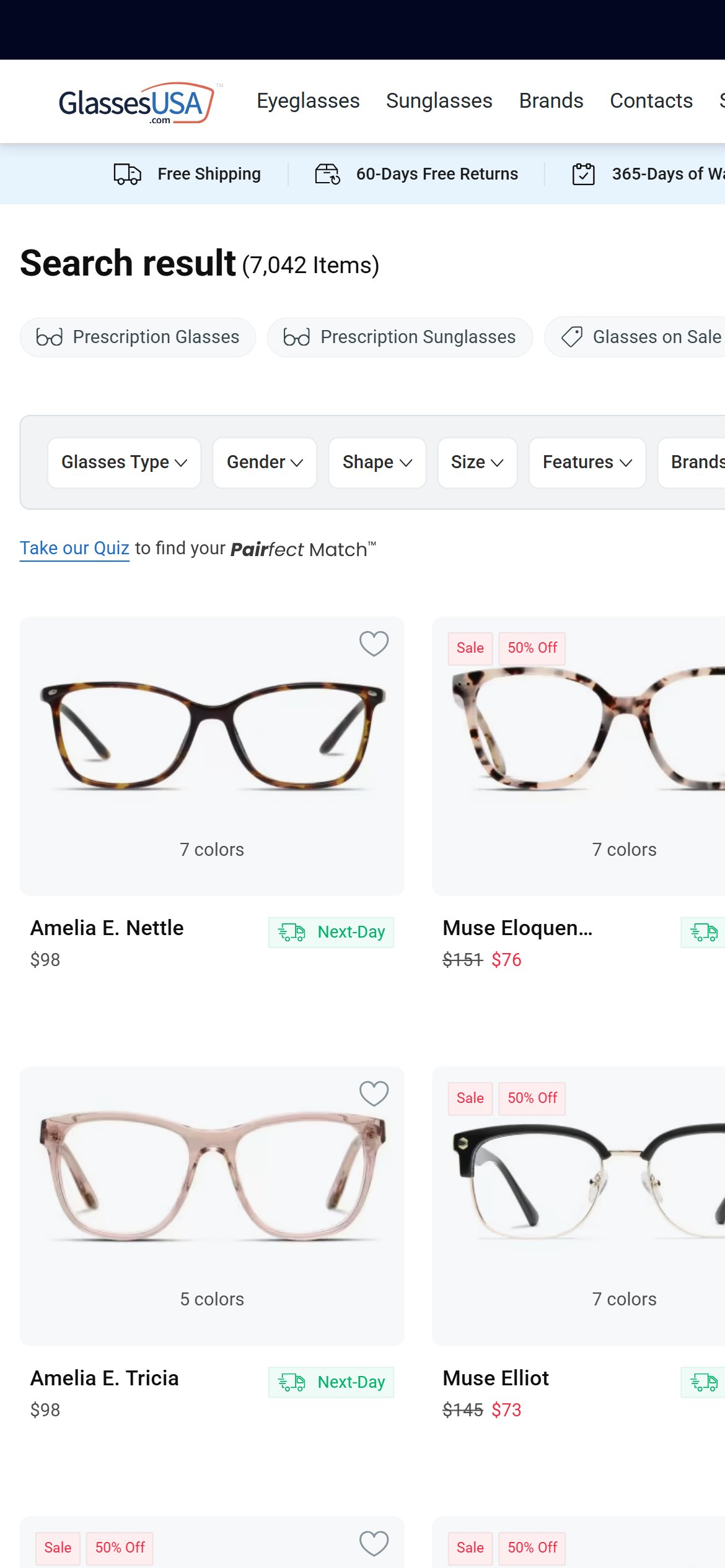
- GlassesUSA's collection grid shows clean Sale, Brand, and category badges only — no availability-limiting status messages that create purchase anxiety
- Suppress DISCONTINUED products from the main collection grid entirely, or push them to a dedicated 'Final Clearance' sub-collection — they belong in a clearance section, not the primary browsing grid
- If DISCONTINUED items must remain visible, add a clear tooltip: 'Limited stock — purchase before it's gone' to frame the urgency positively rather than showing a negative status badge
- Audit all collection grids for product availability signals and establish a merchandising rule: only products with positive availability signals (In Stock, Best Seller, New) should appear in the primary grid above the fold
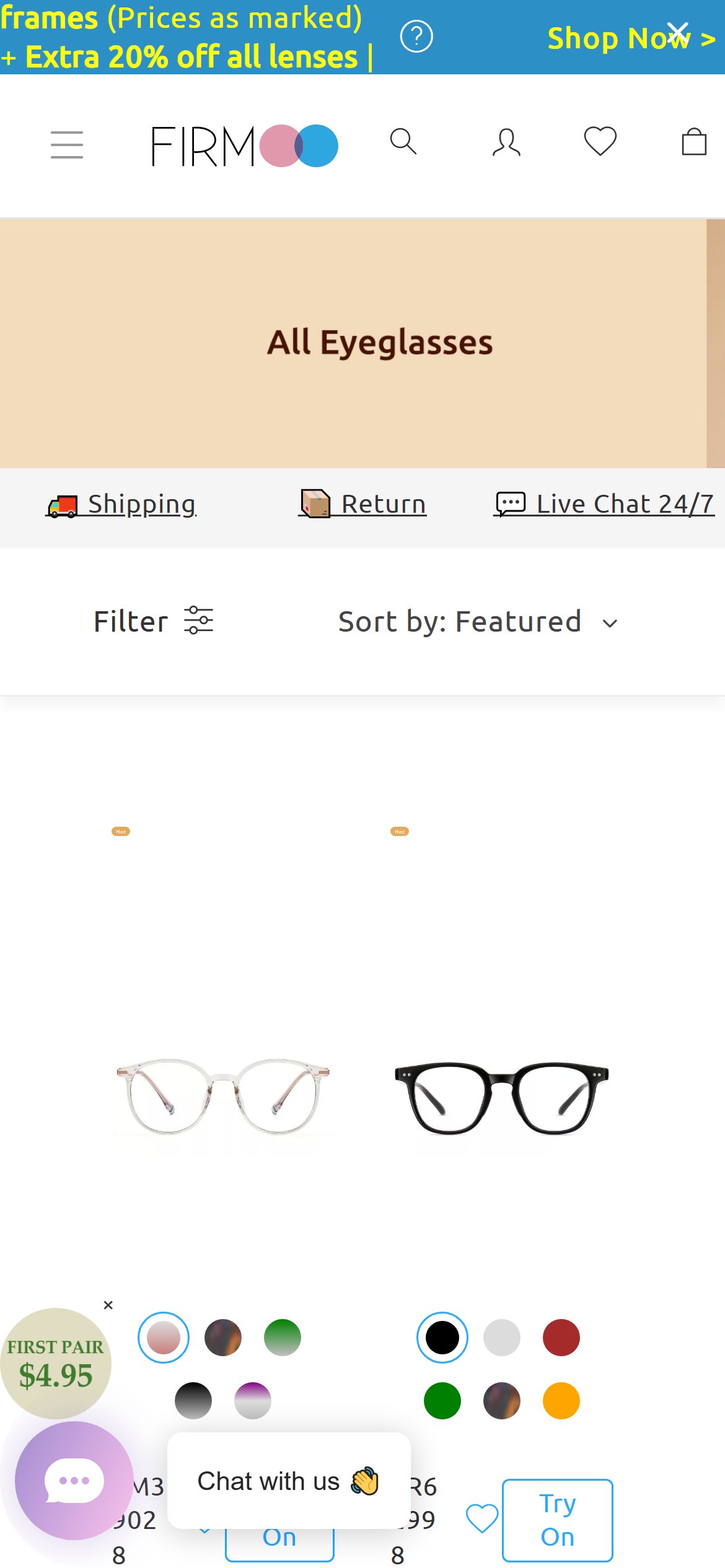
- The collection page shows only 'SORT BY' and 'FILTERS' buttons — the Polarized filter is the only visible facet in the quick-filter strip
- No price range slider, brand filter (despite 20+ brands in the catalogue), frame shape, face shape, or frame material filter was visible in the filter panel
- Firmoo's filter panel offers Frame Type, Frame Shape, Face Shape, Lens Type, Gender, Price Range, and Material — 7 dimensions vs. Glasses.com's effectively 1
- Online eyewear shoppers primarily filter by face shape and price before brand — the absence of these filters forces the most important navigation paths through search instead of browse
- Add a minimum 5-filter dimension panel: Brand, Price Range, Frame Shape, Face Shape, Lens Type — these map directly to how eyewear shoppers self-describe their purchase criteria
- Add a 'Find My Fit' face shape guide as a filterable attribute — Glasses.com has the Virtual Mirror infrastructure to automate this, making it a uniquely strong feature vs. competitors
- Implement a sticky filter strip on mobile collection showing active filters as removable chips, so shoppers maintain context when scrolling a large catalogue
- Product cards in the collection show: discount badge, color count, product name, brand, and price — no 'Try On' hover/tap action
- Each frame comparison requires: (1) tap product, (2) load PDP, (3) activate Virtual Mirror, (4) back to collection — vs. competitors' overlay try-on directly from the grid
- Luxottica's Virtual Mirror technology (vmmv v5.5.6) supports lightweight activation — a collection-level quick try-on is architecturally feasible and would be a market-leading differentiator
- GlassesUSA offers quick-view options from collection cards reducing PDP load friction for comparison shoppers
- Add a 'Try On' icon/button to each product tile in the collection grid — tap to launch Virtual Mirror in an overlay without navigating away from the collection
- As a lower-effort alternative, add a 'Quick Add to Try-On List' feature enabling shoppers to select 3–5 frames for batch comparison in the Virtual Mirror
- The collection grid try-on would be a unique feature vs. GlassesUSA and Firmoo — a significant conversion and engagement differentiator worth a dedicated development sprint
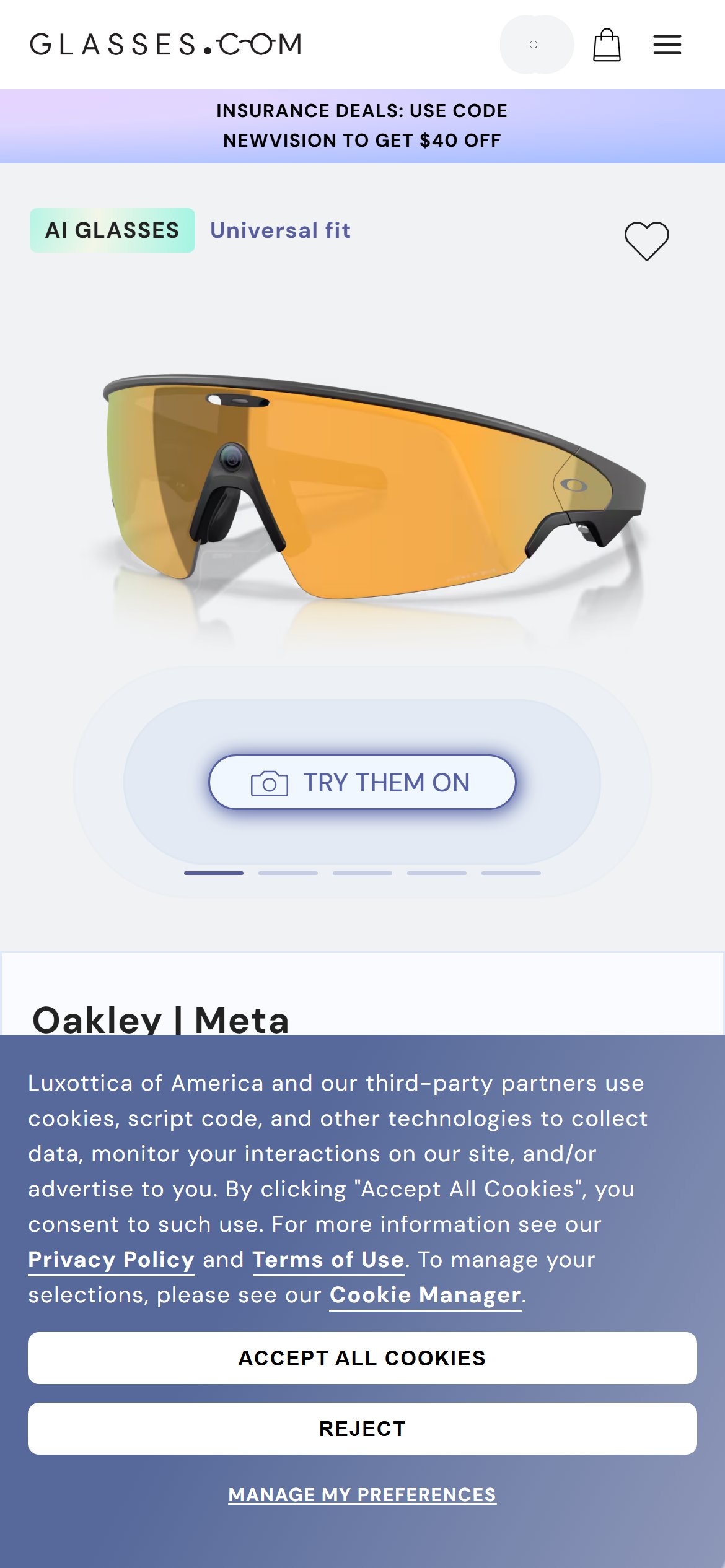

- The ATC zone shows: frame color selector, insurance button, price ($499), PayPal/Affirm BNPL line, and 'ADD TO BAG' button — no trust icons
- Below the ATC button, three rotating text lines appear (SHOP ONLINE AND COLLECT IN STORE / WE ALSO ACCEPT FSA/HSA DOLLARS / FREE SHIPPING ALWAYS AVAILABLE) but these are animated text, not persistent visible trust badges
- GlassesUSA shows 4 permanent trust badges immediately below the ATC: Free Shipping, 60-day Home Try-On, 365-Day Warranty, Buy Now Pay Later — all persistent and icon-supported
- Premium eyewear benchmark data shows persistent trust badges near ATC lift conversion 12–18% — the Glasses.com advantage (FSA/HSA, free shipping, store network) is being hidden behind rotating text that many visitors never see
- Replace the rotating 3-line text with a permanent 3–4 icon badge row below the ADD TO BAG button: FSA/HSA Eligible | Free Shipping | 60-Day Returns | Collect in 1000+ Stores
- Add a 'Secure Checkout' lock icon next to the ADD TO BAG button — even a minimal security signal reduces abandonment for first-time buyers spending $150–$500
- The FSA/HSA badge deserves special emphasis for prescription eyewear — it's a uniquely strong purchase justification that directly reduces perceived price objection
- DOM query for '[class*="related"], [class*="recommendation"], [class*="similar"], [class*="upsell"], [class*="cross-sell"]' returns 0 results on the PDP
- The PDP for Oakley Meta Vanguard ends with the Technology & Accessories specs table — no product carousel, no 'Shop More Oakley' section, no 'Customers Also Viewed'
- Fresh Relevance (am.freshrelevance.com) is active on the page but its product recommendation widget is not surfaced in the PDP layout
- With AOVs of $150–$499+ per frame, cross-selling alternative color options or complementary frame styles is a significant revenue opportunity — GlassesUSA surfaces 6–8 related frames below PDP content
- Add a 'You May Also Like' carousel below the product specs showing 6–8 frames from the same brand or same frame style — Fresh Relevance already has this data and the widget just needs to be placed in the PDP template
- Add a 'Shop More [Brand]' brand-affinity section for designer frames — a shopper looking at Oakley Meta Vanguard is a strong Oakley buyer and should see more Oakley AI glasses
- For non-AI frames, add a 'Compare With' feature showing 2–3 similar frames side-by-side — this reduces decision paralysis and keeps comparison shoppers within the Glasses.com ecosystem
- The PDP page title shows 'See reviews' as a text link but no star rating icons or numerical review count appear in the ATC zone or header — the link leads to an anchor below the fold
- No third-party review platform script (Bazaarvoice, Yotpo, PowerReviews, Trustpilot) was detected in the page source
- GlassesUSA displays aggregate star rating (e.g., 4.5 stars, 127 reviews) directly adjacent to the product title and price — the most conversion-critical position
- For $499 AI glasses, social proof is disproportionately valuable — shoppers making a $499 purchase on new AI eyewear technology need peer validation that the product works as described
- Integrate a verified purchase review platform (Bazaarvoice or PowerReviews) and surface star ratings + review count directly in the PDP title area — above the fold on mobile
- As an interim step, source review data from Luxottica's CRM or the existing platform review capability and render star ratings in the product header
- Add 2–3 curated review excerpts in the ATC zone for high-AOV products — specifically seeking mentions of frame comfort, prescription accuracy, and AI glasses performance to address the top purchase concerns
- virtualMirrorProductData is fully populated in the page JavaScript for all 6 color variants of the Oakley Meta Vanguard — confirming product data is mapped correctly
- The vmmv.luxottica.com/v/5.5.6/index.umd.js script loads successfully but the resulting Virtual Mirror iframe or overlay was not observed rendering in the mobile viewport during the audit session
- Virtual Try-On is cited as the #1 conversion tool for online eyewear by industry benchmarks — a non-functional or delayed-load try-on is worse than no try-on (it creates a broken experience expectation)
- GlassesUSA and Firmoo both have working virtual try-on on their PDPs — if Glasses.com's implementation is unreliable, it removes the key differentiator
- Conduct a dedicated QA pass on Virtual Mirror activation across mobile Chrome and Safari — test with real device, not simulator — and identify whether the rendering failure is device-specific, network-specific, or systematic
- Add a fallback state: if Virtual Mirror fails to load within 3 seconds on mobile, hide the 'TRY THEM ON' button rather than showing a broken experience
- Consider surfacing Virtual Mirror earlier in the page scroll (above the ATC button rather than in the image gallery) to give it more visual prominence when it does work correctly
- Full ATC zone scan finds no delivery estimate, 'ships in X days', 'arrives by', or postal code input
- The 'FREE SHIPPING ALWAYS AVAILABLE' rotating text confirms free shipping but gives no indication of when the order will arrive
- Glasses.com offers '2-Day Speedy Delivery' for selected prescription eyewear (as seen in nav links) but this is not surfaced or promoted on the PDP
- Prescription eyewear delivery anxiety is uniquely high — shoppers routinely wait 7–14 days — clearly communicating delivery timeline near ATC directly addresses the #2 pre-purchase hesitation after price
- Add a delivery estimate line near the ATC button: 'Speedy Delivery available — arrives in 2 business days' for eligible products, with a tooltip linking to the 2-Day Speedy Delivery program
- For standard prescription orders, add 'Estimated delivery: 7–10 business days including Rx processing' to set expectations and reduce post-purchase anxiety that leads to cancellations
- Surface the 2-Day Speedy Delivery as a product badge on eligible frames in the collection grid — it's a genuine conversion advantage that should be promoted, not buried in navigation
- Zero payment icon elements ([class*='payment-icon'], [src*='visa'], [src*='mastercard'], [src*='klarna']) found in the PDP/cart DOM scan
- The BNPL options (Klarna, Affirm) are mentioned in a single line on PDP ('Pay over time with PayPal and Affirm') but not iconographically displayed
- GlassesUSA's cart prominently shows Visa, Mastercard, Amex, PayPal, Klarna icons and 'Secure Checkout' text — addressing payment anxiety at the exact point of commitment
- FSA/HSA acceptance is a strong purchase motivator for prescription eyewear — it is currently only mentioned as rotating text on PDPs and never reinforced at checkout entry
- Add a row of payment method icons in the cart footer: Visa, Mastercard, Amex, PayPal, Klarna, Affirm, FSA/HSA — these are all genuinely accepted and should be displayed at the checkout entry point
- Add a 'Secure Checkout' lock icon and 'SSL Encrypted' text next to the primary checkout button — a minimal trust signal with measurable impact on first-time buyer conversion
- Surface the FSA/HSA acceptance icon prominently in the cart for prescription items — it's a purchase justification signal that can reduce cart abandonment when a buyer is hesitating on price
- 'Apply insurance benefits' and 'Use insurance benefits' CTAs appear on the collection and PDP pages but without a cart-level insurance benefit summary
- GlassesUSA prominently shows 'Save an average of $100 with your vision insurance' with an insurance input form — using the cart as an active insurance acquisition touchpoint
- A shopper who hasn't applied insurance benefits before reaching the cart is most at risk of abandoning when they see the full pre-insurance price — the cart is the last opportunity to surface the insurance saving
- Insurance integration is Glasses.com's strongest differentiator vs. pure-play discount competitors — it should be the most prominent pre-checkout CTA
- Add an insurance benefits banner in the cart: 'Have vision insurance? Apply your benefits now and save up to $200 — accepted by most major plans'
- For customers who have already applied insurance benefits in the session, show a line item in the cart summary: 'Insurance benefit applied: -$150' to reinforce the net price advantage
- Add an insurance benefit estimator CTA in the cart for visitors who bypassed the PDP insurance button — this is a high-value last-mile conversion opportunity unique to Glasses.com
- The Rx Configurator (rxc.luxottica.com) is a multi-step process that begins after clicking the main CTA — there is no pre-cart indication that a prescription will be required for Rx frames
- Eyewear industry data shows 35–42% of online prescription eyewear orders are abandoned at the Rx entry step — the most predictable and addressable drop-off in the funnel
- No 'Save for Later' or 'Upload Rx after purchase' option is visible in the pre-checkout flow — a significant flexibility gap vs. competitors who allow Rx upload post-order
- GlassesUSA offers detailed FAQ content near the cart specifically about prescription entry: 'Not sure how to read your Rx?' with a guide — directly addressing the #1 abandonment trigger
- Add a 'Not sure where to find your prescription?' expandable FAQ accordion in the cart or checkout entry flow with a clear guide — this single addition can reduce Rx step abandonment by 15–25%
- Offer a 'Buy now, upload Rx later' option for prescription frames — allow purchase completion and send an Rx upload email post-order — common practice among GlassesUSA, Zenni, and EyeBuyDirect
- Add a 'Your cart is saved' reminder in the checkout confirmation for non-Rx items: 'Add your prescription to complete your order' with a 24-hour email reminder — captures the large segment of visitors who need to locate their Rx before completing the order
Performance & Technology
Core Web Vitals, page-speed signals, and the technology stack powering Glasses.com
Core Web Vitals
Technology Stack
Performance & Technology Assessment
Mobile performance is needs work (24/100); desktop is needs work (52/100) on IBM WebSphere Commerce (Luxottica Custom). Page-speed and Core Web Vitals are increasingly load-bearing for SEO and conversion in this category — addressing the weakest vital first is the single highest-leverage technical improvement available.
PageSpeed vs Competitors
| Site | Mobile | Desktop |
|---|---|---|
| This site | 24 | 52 |
| GlassesUSA | 15 | 27 |
| Firmoo | 12 | 38 |
Confidential — Prepared for Glasses.com by Growisto | May 2026
Technology Ecosystem
Technology stack assessment — installed tools vs recommended additions for IBM WebSphere Commerce (Luxottica Custom) stores
Present (12)
Missing (7)
App Stack Assessment
Glasses.com has an enterprise-grade technology stack befitting a Luxottica brand — Monetate for A/B testing, Forter for fraud prevention, Tealium for tag governance, and a proprietary Virtual Mirror and Rx Configurator that competitors cannot easily replicate. The most significant gap is not in the tooling but in activation: BounceExchange (Wunderkind) is fully installed but not firing email capture popups on mobile, leaving first-visit lead capture at near zero. Fresh Relevance is active for behavioral email retargeting but its on-site recommendation widgets are not surfaced on PDP. The single highest-ROI addition would be a verified purchase reviews platform (Bazaarvoice or PowerReviews) — the absence of social proof on the collection grid and PDP is directly addressable and would have immediate impact on the prescription eyewear purchase decision.
Confidential — Prepared for Glasses.com by Growisto | May 2026